7 Essential Apps for Traveling in South Korea (2025 Edition)

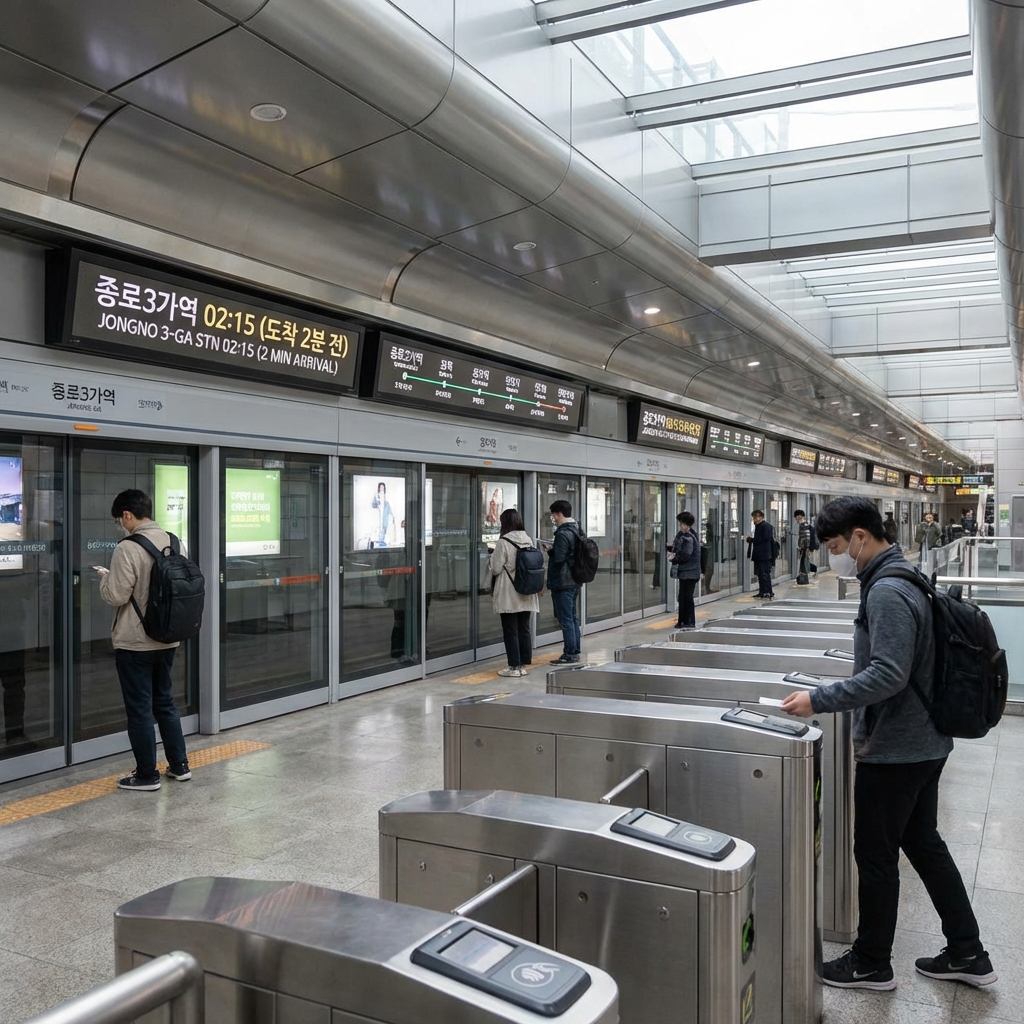
You land at Incheon Airport. You open Google Maps to navigate to your hotel. It shows you the subway station. But when you tap "Directions," it says: "Walking directions unavailable."
Welcome to Korea, where Google Maps is useless.
Korea runs on its own digital ecosystem. The good news? The local apps are better, faster, and more accurate than anything you're used to. The bad news? You need to download them before you arrive, or you'll be lost.
Here are the 7 essential apps that will save your trip.
1. Navigation: Naver Map (or Kakao Map)
Why you need it: Google Maps cannot provide walking or driving directions in South Korea due to national security laws.
Naver Map vs. Kakao Map
- Naver Map: More accurate, better for rural areas, English interface.
- Kakao Map: Better UI, more popular with locals.
- Verdict: Download both. Use Naver as your primary, Kakao as backup.
How to Use
- Download the app.
- Switch to English (Settings → Language).
- Search by phone number or Korean name (English addresses often fail).
- Pro Tip: Naver Map tells you which subway car to board for the fastest transfer (e.g., "Car 4-3").
Power-User Guide: Getting the Most Out of Naver Map
The basics above will get you around. But Naver Map has several features that most tourists never discover — and they make a significant difference.
Searching by phone number. Every business registered in Korea lists a phone number in Naver's database. When an English address fails to return results (which happens constantly in older neighborhoods and smaller towns), search the business's phone number instead. You'll find the exact pin every time. Before your trip, bookmark key spots: your hotel, the airport, and any restaurants you've pre-researched. Copy their Korean phone numbers from their website or Google reviews and search them directly in Naver Map.
The Bus Arrival feature. Tap any bus stop icon on the Naver Map — the small blue circle icons scattered across every street. A tray slides up from the bottom of the screen showing every bus line that stops there, with a real-time countdown in minutes and seconds. "Bus 273 — 3 min," "Bus 370 — 8 min." This is dramatically more useful than any paper schedule, and it works for both Seoul city buses and intercity buses. Combine it with the route planner to see exactly which bus to take and when to expect it.
The "Around Me" feature. Tap the compass icon or the "Near Me" tab and Naver Map switches to a proximity view. Filter by category: convenience stores (편의점), ATMs (ATM·은행), pharmacies (약국), or restaurants. In a foreign city where you don't know the neighborhood layout, this is how you find the nearest GS25 for a late-night snack or locate a pharmacy when you need cold medicine at 9 PM. It works offline once the area map is cached.
Saving favorites and sharing location. Tap the bookmark icon on any place page to save it to your favorites list. More practically: use Naver Map's location-sharing feature to send your exact coordinates to travel companions via KakaoTalk (Korea's dominant messaging app). Tap the share icon on your current location pin and it generates a KakaoTalk share link. The recipient opens it and Naver Map pinpoints you on their screen. This is how Koreans coordinate meetups — text "I'll send my location" and share the Naver Map pin.
The honest limitation. Naver Map's walking route algorithm is excellent in cities and well-mapped towns. It becomes unreliable in very rural areas — mountain hiking trails, small farming villages, and coastal paths that haven't been updated in years. In these situations, switch to Kakao Map. Kakao uses crowd-sourced trail data from hikers and cyclists, which fills the gaps Naver misses. The combination of both apps covers virtually every scenario in Korea.
2. Translation: Papago
Why you need it: Papago is built by Naver specifically for Korean. Google Translate is okay, but Papago is better.
Features
- Camera Translation: Point your phone at a menu, and it translates in real-time.
- Voice Translation: Speak into your phone, and it translates to Korean (and vice versa).
- Offline Mode: Download Korean for offline use.
When to Use
- Reading menus (especially handwritten ones).
- Talking to taxi drivers.
- Understanding signs in markets.
Papago's Hidden Superpowers
Conversation Mode. This is the feature that will change how you interact with locals. Open Papago and tap the microphone icon labeled "Conversation." The screen splits into two halves — one for English, one for Korean. Hand the phone to a taxi driver or a market vendor. They speak Korean into their half, you speak English into yours. Papago translates in real time, alternating between the two speakers. It handles back-and-forth dialogue smoothly enough for practical conversations: negotiating a price, explaining a food allergy, or asking a shop owner if they have a product in stock. It is not perfect for nuanced philosophical debate. It is excellent for "I need to get to this address" and "how much for three of these?"
Papago vs. Google Translate: an honest comparison. Google Translate has improved substantially for Korean. It handles standard written Korean well. But Papago still wins in three areas that matter for travelers: nuance and slang (Korean has layers of formal and informal speech, and Papago navigates them more correctly), handwritten text recognition (Papago's camera mode reads Korean handwriting — the scrawled daily specials on a chalkboard, the handwritten price tag at a traditional market stall — far more accurately than Google Translate), and contextual food vocabulary (Papago understands regional Korean dish names and cooking methods that Google Translate sometimes transliterates without explanation).
The Phrasebook feature. Before your trip, open Papago and navigate to the Phrasebook section. Pre-save the phrases you know you'll need: "Where is the bathroom?" (화장실이 어디예요?), "No spicy, please" (안 맵게 해주세요), "How much is this?" (이거 얼마예요?), "One more, please" (하나 더 주세요), "Can I pay by card?" (카드로 계산할 수 있어요?). These are stored in the app and accessible offline. When you're in a noisy market and voice recognition is struggling, pull up the saved phrase and show the screen to the vendor. It is faster and more reliable than trying to type.
Where Papago falls short. Temple inscriptions, historical plaques, and traditional architecture often feature Hanja — classical Chinese characters used in Korean historical texts. Papago handles modern Korean brilliantly but can struggle with formal classical text and archaic script. For those situations, Google Translate's Hanja recognition is occasionally better. At major UNESCO heritage sites, an English audio guide or an English-captioned information panel will serve you better than either app.
3. Taxis: Kakao T
Why you need it: Uber doesn't exist in Korea. Kakao T is the local equivalent.
How to Use
- Download the app.
- Link a foreign credit card (or select "Pay to Driver" for cash/T-Money).
- Set your destination (in English or Korean).
- The driver gets the route automatically. No miscommunication.
Types of Taxis
- Standard Taxi: Cheapest (~4,800 KRW base fare).
- Deluxe Taxi (Black): More comfortable, safer driving, ~50% more expensive.
- Jumbo: For groups.
Advanced Kakao T: What the App Won't Tell You
The International Taxi filter. When you open a ride request in Kakao T, scroll down through the taxi categories until you see "International Taxi" (sometimes labeled "Kakao T Black International"). These are drivers who have passed an English proficiency test. The selection is smaller and the wait time slightly longer, but the ride eliminates the communication friction entirely. Use this for airport transfers — particularly the Incheon Airport to Seoul city run, which takes 50–60 minutes and involves enough potential conversation (luggage help, hotel entrance clarification) to make an English-speaking driver genuinely valuable. For a 10-minute hop across Hongdae, any standard driver with Kakao T's auto-routing is fine.
Surge pricing: budget accordingly. Kakao T applies dynamic pricing on Friday and Saturday nights after midnight and during heavy rain or snowstorms. The surge multiplier typically runs 1.5x to 2x the base fare. At 2 AM after a night out in Itaewon, the fare to Gangnam that would normally cost 15,000 KRW can hit 25,000–30,000 KRW. This is not hidden — the app shows the fare estimate before you confirm. Check it before you book, and if the surge is extreme, consider waiting 20–30 minutes for it to subside or walking to the nearest 24-hour subway station.
Kakao T Bike and scooters. The same Kakao T app connects to electric kick scooters available at docking stations throughout Seoul, Busan, and other major cities. These are useful for the "last mile" problem — you're 800 meters from a subway exit and too tired to walk but too close to justify a taxi. Open Kakao T, switch from "Taxi" to the mobility tab, and find the nearest scooter. Rates are per-minute and cheap. Note: Seoul's dedicated public bike-share program, Ttareungi (따릉이), runs on a separate app and is better for longer bike rides through Han River parks. Use Kakao T scooters for short urban hops.
When Kakao T fails. In very late-night hours (3–4 AM) in quieter districts, driver availability can drop to near zero. Kakao T will show "No available drivers" and leave you waiting. In this scenario, open UT (a competing ride-hailing app with similar functionality and foreign credit card support) and try there. If both apps fail, walk to the nearest main road and flag a street taxi the old-fashioned way — metered taxis cruise all night in Seoul. Standard orange and silver taxis are safe, legitimate, and metered. Avoid unmarked private cars offering rides.
4. Subway: Subway Korea
Why you need it: The Seoul subway has 20+ lines. You need a map that works offline.
Features
- Offline Maps: No data required.
- Transfer Guidance: Shows you the fastest vs. easiest route.
- Exit Numbers: Tells you which exit to use (crucial for navigation).
Alternative
Kakao Metro is also good, but Subway Korea has a cleaner interface.
Subway Korea vs. Kakao Metro: Which to Use When
The critical difference. Subway Korea covers every subway system in Korea — Seoul, Busan, Daegu, Gwangju, Daejeon, Incheon. If you're doing a multi-city trip, Subway Korea is the only app that gives you accurate offline maps for all of them. Kakao Metro is excellent but Seoul-centric. Its Busan coverage exists but is less detailed and less reliable. For first-time visitors spending their entire trip in Seoul, either app works. For anyone taking KTX to Busan, Gyeongju, or Jeonju and using local transit there, Subway Korea is the correct choice.
Kakao Metro's real advantage. Where Kakao Metro wins is real-time crowd data. It shows platform and train congestion levels — green for manageable, yellow for busy, red for avoid. Line 9 (the gold express line) during the 8–9 AM rush hour is notoriously brutal. Kakao Metro will warn you. Use this feature to decide whether to wait for the next train or take a slower alternative route.
The "Nearby Station" feature. When you're disoriented — standing on an unfamiliar corner after leaving a restaurant or a market with no idea which direction you're facing — open Subway Korea and tap the GPS location button. The app identifies your nearest subway station, which line it's on, and how many minutes it takes to walk there. Combined with Naver Map's walking directions to reach the station entrance, this two-app combination gets you un-lost in under 60 seconds.
Reading the line system. Seoul's subway lines are numbered and color-coded. Line 1 (dark blue) is the oldest, slowest, and most confusing — it forks in multiple directions and serves commuter suburbs. Line 2 (green) is the circular line that forms the backbone of Seoul transit, connecting Gangnam, Hongdae, Sinchon, and Dongdaemun. Learn Line 2 first; it will solve 60% of your transit needs. Line 9 (gold) runs express between the western neighborhoods and Gangnam, skipping most stops — it is fast but crushingly overcrowded during peak hours. Lines 5, 6, 7, and 8 run purple, brown, olive, and pink respectively and fill in the areas the main lines miss. The Airport Railroad (AREX) runs in dark blue-grey directly from Incheon Airport to Seoul Station — do not confuse it with Line 1 at Seoul Station.
5. Trains: KORAIL Talk
Why you need it: To book KTX (high-speed train) tickets.
How to Use
- Download the app.
- Create an account (English interface available).
- Book tickets 1 month in advance (they sell out fast for weekends/holidays).
Pro Tip
If you're going to Busan, check SRT (Super Rapid Train) as well. It's the same speed as KTX but often cheaper and departs from Suseo Station (Gangnam area).
Mastering the Korean Rail System
The 30-day booking window — and why it matters. KTX tickets open for sale exactly one month before the departure date. December 1 seats go on sale November 1 at midnight Korean time. For ordinary weekday trains, this is a non-issue. For major holiday periods — Chuseok (Korean Thanksgiving, typically September/October), Lunar New Year (January/February), and the summer peak (late July through August) — tickets sell out within literal minutes of going on sale. The system crashes under the load of demand. Set an alarm for midnight Korea time on the booking-open date and have your KORAIL Talk account pre-loaded with your payment card. Missing this window means paying 3x the price for a bus, or rearranging your entire itinerary.
SRT vs. KTX: the practical breakdown. Both trains run at roughly the same top speed (300 km/h) and cover Seoul to Busan in approximately 2 hours 15 minutes to 2 hours 40 minutes depending on the service. SRT typically prices 5–10% cheaper than KTX. The meaningful difference is the departure station. KTX departs from Seoul Station (central Seoul, Line 1 and 4 interchange, convenient for Myeongdong, Hongdae) or Yongsan Station (just south of Itaewon). SRT departs from Suseo Station in the Gangnam district, easily accessible on Line 3 or the Bundang Line. If you're staying in Gangnam, Itaewon, or anywhere in south Seoul, SRT is not only cheaper but geographically closer. If you're staying in Hongdae, Sinchon, or Jongno, KTX from Seoul Station saves the crosstown commute.
The Korail Pass for long trips. Foreign tourists (non-Korean passport holders) can purchase the Korail Pass, which offers unlimited KTX and intercity rail travel over a fixed period: 2 days, 3 days, 5 days, or continuous multi-day options. The pass is discounted versus buying individual tickets and makes sense if you're making multiple intercity journeys — Seoul to Gyeongju, Gyeongju to Busan, Busan to Yeosu, for example. Run the math before you buy: if your trip involves fewer than four long-distance trains, individual tickets purchased in advance will likely be cheaper. The pass is sold through the KORAIL website, select travel agencies, and some airports.
6. Food Delivery: Coupang Eats / Yogiyo
Why you need it: Late-night cravings. Korean fried chicken at 2 AM. Enough said.
The Problem
Both apps require a Korean phone number for SMS verification.
The Workaround
- Ask your hotel/Airbnb host to set it up for you.
- Or use Shuttle Delivery (English-friendly app for tourists).
What to Order
- Korean Fried Chicken (Chimaek): Kyochon, BBQ Chicken.
- Tteokbokki: Spicy rice cakes.
- Jjajangmyeon: Black bean noodles.
7. Transit Payment: T-Money / Climate Card App
Why you need it: To pay for subway, bus, and taxis without fumbling for cash.
T-Money Card (Physical)
- Buy at any convenience store (GS25, CU) for 3,000 KRW.
- Load cash at machines or convenience stores.
- Tap on/off for subway and buses.
Climate Card (Digital - New for 2025)
- Unlimited transit pass for tourists.
- Prices: 1-Day (5,000 KRW), 3-Day (10,000 KRW), 5-Day (15,000 KRW).
- Verdict: If you ride the subway 4+ times a day, this is cheaper.
Apple Pay Integration (2025)
You can now add T-Money to Apple Pay. No physical card needed.
Bonus Apps
AirVisual
Why: Check air quality (PM2.5 and yellow dust levels). If it's "Unhealthy," wear a KF94 mask.
Creatrip / Klook
Why: Book tours, tickets, and experiences (often cheaper than on-site).
Apps That Don't Work (Or Are Mostly Useless for Tourists)
Before you download twenty apps, here is the honest list of things that won't perform the way you expect.
Google Maps. Navigation fails — that part you already know. But don't delete it entirely. Google Maps remains useful for two things: finding places using English search terms and reading English-language reviews from other tourists. Locals don't review on Google. But travelers do, and those reviews often contain practical information (how far the walk is from the subway, whether lines are long on weekends, whether the English menu exists). Use Google Maps as a research tool, not a navigation tool.
Uber. Uber technically operates in Korea, but only in partnership with Kakao T. When you open the Uber app in Seoul, it routes your request through Kakao T's driver network. You are better served by just using Kakao T directly — same drivers, same cars, without the middleman layer.
WhatsApp. WhatsApp works fine for calling and texting your people back home. It is useless for communicating with Koreans. Korea's messaging app is KakaoTalk (카카오톡), used by virtually every person in the country. Download KakaoTalk. When you book a guesthouse, make a dinner reservation, or coordinate with a local tour guide, they will ask for your KakaoTalk ID. You can create an account with a foreign phone number. Set it up before you arrive.
Instagram as a restaurant guide. This one is not useless — it is actively excellent. Korean restaurants maintain highly active Instagram accounts. Most post daily stories showing wait times, today's specials, and whether the kitchen is open. Searching a restaurant name on Instagram often surfaces posts from the past 48 hours, showing you current conditions that no review platform can match. Following food accounts that focus on Korean cuisine — both Korean-language and English-language accounts — is a legitimate scouting strategy for finding places that have not yet saturated the English-language travel blogs. Some of the best meals in Seoul come from restaurants that have 40,000 Korean Instagram followers and zero mentions in any English-language guidebook.
The Pre-Trip App Install Checklist
Install these before boarding your flight. Some require account creation that is easier to complete at home on a stable connection.
- Naver Map — Primary navigation. Set language to English in Settings.
- Kakao T — Taxis. Link your foreign credit card before you arrive.
- Papago — Translation. Download Korean language pack for offline use.
- Subway Korea — Offline subway map for Seoul and all other Korean cities.
- KORAIL Talk — Train booking. Create your account at home; the verification process takes time.
- KakaoTalk — Messaging with locals. Set up with your foreign phone number.
- AirVisual — Air quality monitoring. Check every morning, especially March through May (yellow dust season).
- Klook or Creatrip — Pre-book popular attraction tickets. Some experiences (Everland on weekends, popular DMZ tours) sell out days in advance.
- T-Money app — Android users with NFC chips can load T-Money digitally. iPhone users: add T-Money via Apple Wallet once your card is registered.
- Instagram — Restaurant discovery. Follow three or four food accounts focused on Seoul before you arrive. You will eat better for it.
Final Thoughts
Korea is one of the most digitally advanced countries in the world. But it runs on its own apps. Download these 7 apps before you land, and you'll navigate Korea like a local.
Armed with these digital tools, your day-to-day exploration will become significantly easier. You can confidently map out the routes detailed in The Ultimate 10-Day South Korea Itinerary without fear of getting lost. Finding specific culinary hotspots mentioned in A Foodie's Guide to South Korea becomes a breeze when you have Naver Map guiding your steps. And when it's time to venture out of the capital, you'll be well-prepared to evaluate your intercity transit options by using the booking apps mentioned here in conjunction with our breakdown of How to Travel from Seoul to Busan.